 Tipnook
Offline on your iPhone
Tip calculator.
Bill splitter.
Calculate restaurant tips, split the bill among 1–20 people, and share exactly what everyone owes. Works offline, in 15 currencies.

For iPhone · iOS 18 or later
US$0.99 in the US App Store · One-time purchase · No subscription. Prices in other regions are shown in the App Store.
- Works offline
- No account needed
USD · Up to 999999.99. Use a decimal point or comma, without thousands separators.
2 × $32.97 · 1 × $32.96
Try your own bill · USD
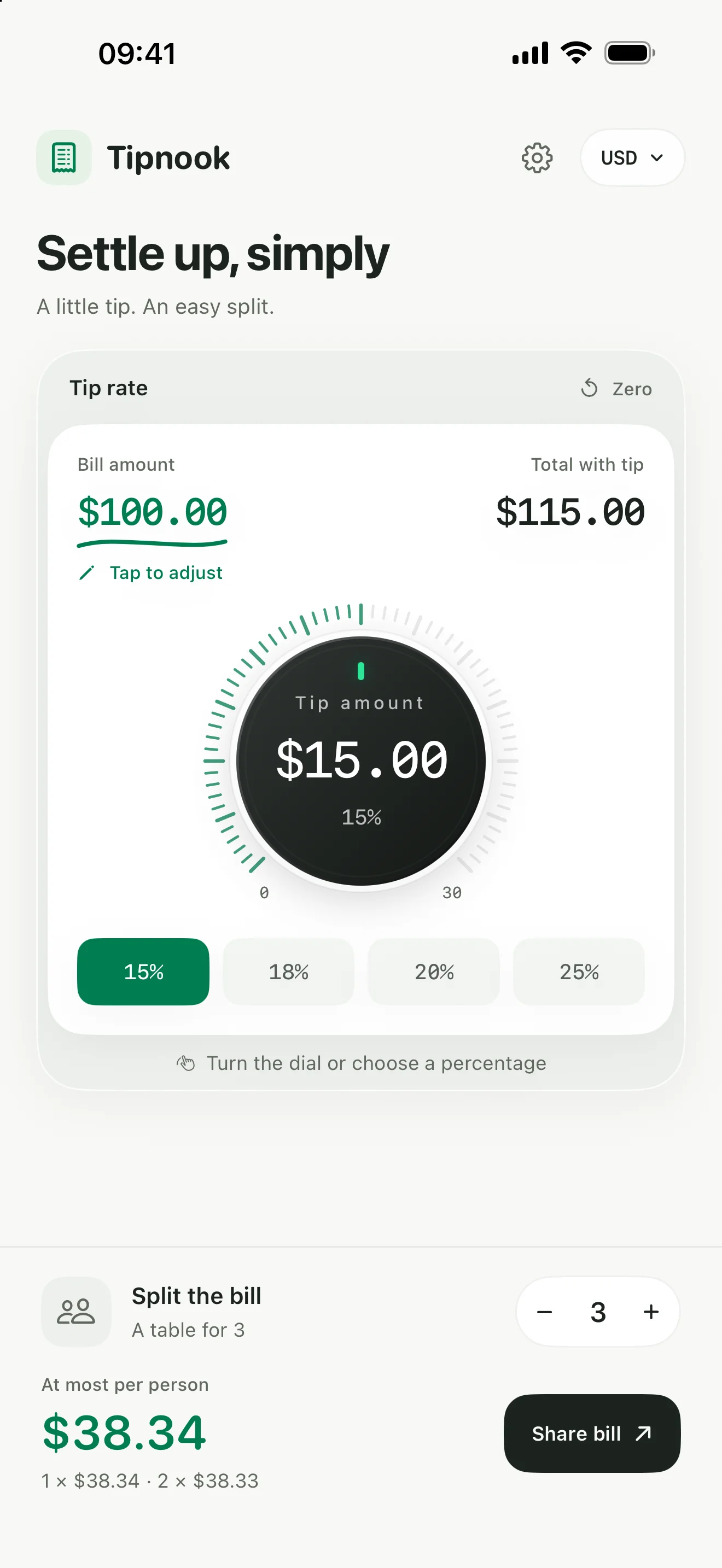
Enter an amount, choose a tip, and adjust the number of people.
FROM THE BILL TO THE SPLIT
Three steps. All settled.
- 01
Enter the bill
Tap the amount and choose your currency. Just the numbers on your bill.
- 02
Set the tip
Turn the dial from 0–30%, or tap a preset. Leave no tip? Zero works too.
- 03
Split and share
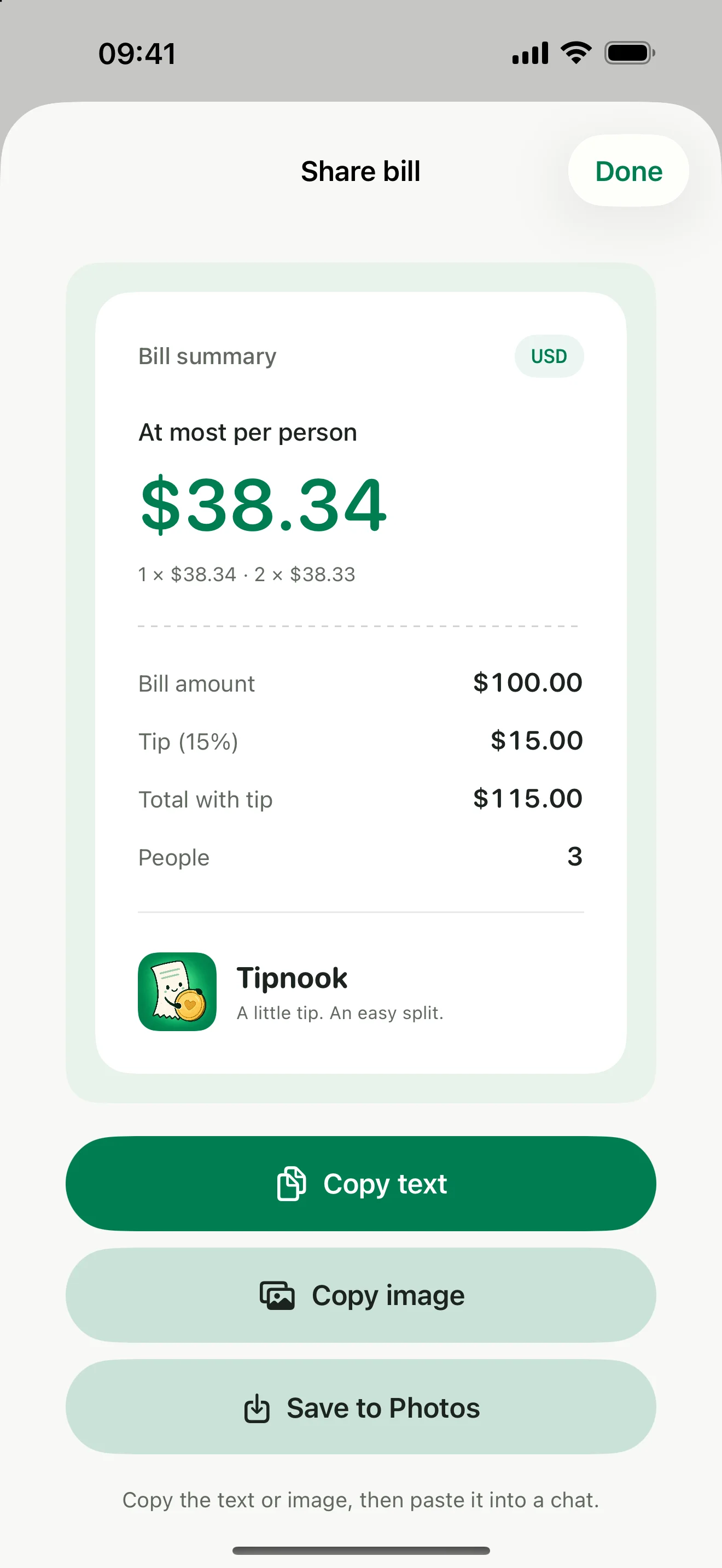
Choose 1–20 people. Copy the breakdown as text or an image, or save it to Photos.
Tipnook on your iPhone

Small details. Less to think about.
The numbers add up
When a bill cannot split evenly, Tipnook shows the two amounts to pay. Everyone's share adds up to the exact total.
Ready for the next meal
Your last bill and preferences stay on your iPhone. Pick up where you left off, even without a connection.
At home, or away
Six languages and 15 currencies. Choose a currency independently of the language. No exchange-rate conversion.
USD · CAD · MXN · BRL · EUR · GBP · ZAR · CNY · HKD · TWD · JPY · KRW · SGD · AUD · NZD
Tip and bill-splitting guides
Free tip calculator & bill splitter ↗- How to calculate a tip and tip percentage
Calculate 15%, 18% or 20% tips, find the percentage from a tip amount, and work through restaurant bills with tax and shared payments.
- How to split a restaurant bill with tip
Split a restaurant bill with tip among 2, 3, 4 or 5 people. See exact payments, handle leftover cents, and share the final breakdown.
Questions about Tipnook
Does Tipnook work offline?
Yes. Calculations and saved preferences work offline in the iPhone app. Opening this website, the privacy page, or the App Store requires an internet connection.
How many people can split a bill?
Tipnook divides the total among 1–20 people. It splits equally, with at most one smallest currency unit between shares. It does not assign dishes or different percentages to individual people.
Why do some people pay one cent more?
A total may not divide evenly into cents. Tipnook distributes the remaining cents among some of the people, so all shares add up to the exact total. For JPY and KRW, the difference is one whole currency unit.
Which currencies are supported?
The app supports USD, CAD, MXN, BRL, EUR, GBP, ZAR, CNY, HKD, TWD, JPY, KRW, SGD, AUD, and NZD. Currency and interface language are independent. Changing currency does not convert exchange rates.
Does it save a bill history?
No. Tipnook remembers the last confirmed bill and your preferences on your iPhone. A new confirmed bill replaces the previous one.
How can I share a bill?
In the app, open Share Bill to copy the breakdown as text or an image, or save the image to Photos. You can then send it using another app.
Is the app free?
The online calculator is free. The iPhone app costs US$0.99 in the US App Store as a one-time purchase, with no subscription or in-app purchases. Check your local App Store for regional pricing.